Scanning a Specific Area
Sample Code
- iOS: CropViewController.swift / CropView.swift
- Android: CropFreeStyleTextAnalyzer.java
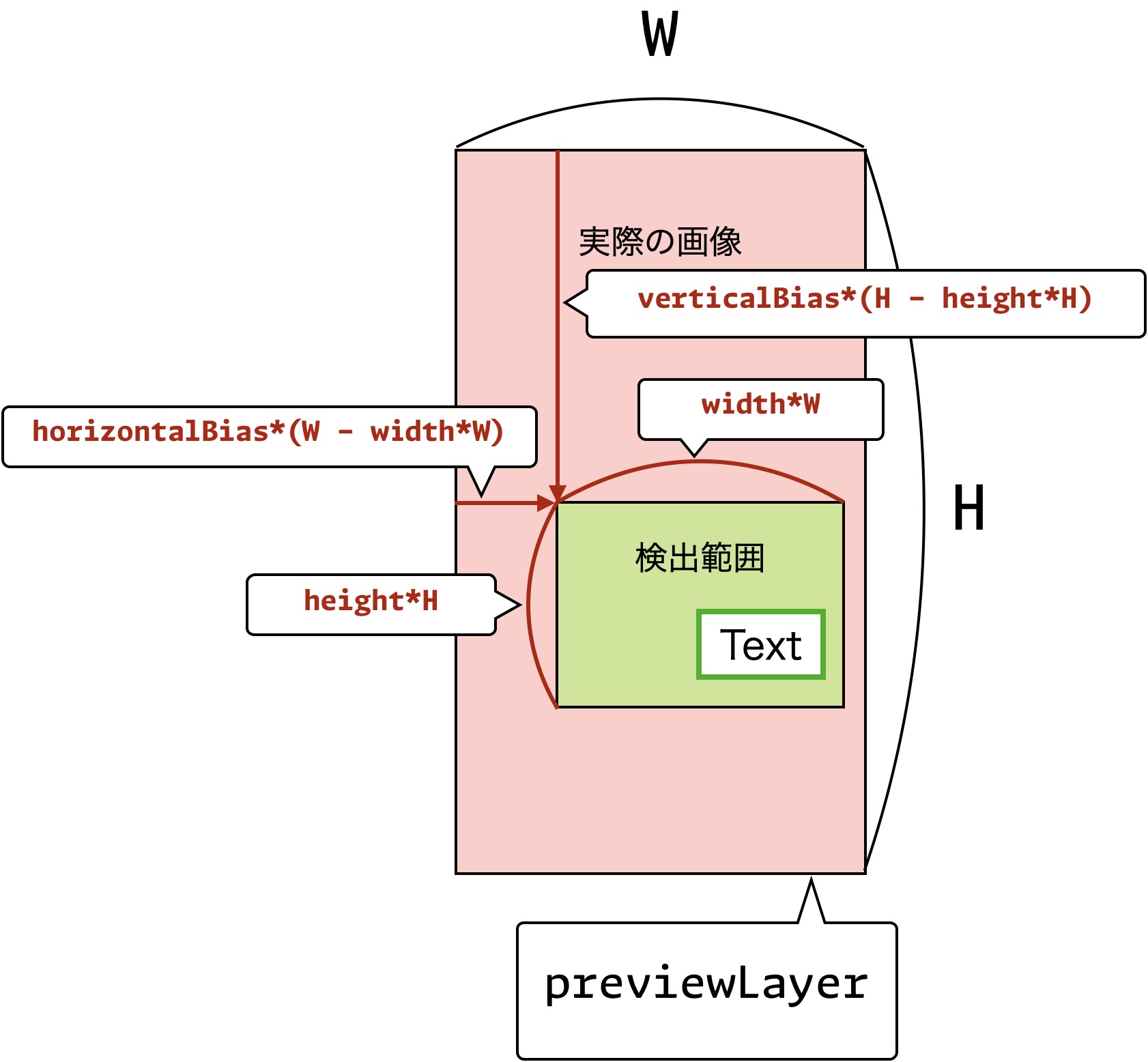
You can crop and scan an arbitrary area of the image using CropRect in ScanOptions.
CropRect Parameters
| Parameter | Description |
|---|---|
cropWidth | Width to crop (0.0 to 1.0, where 1 represents the full width of the input image) |
height | Height to crop (0.0 to 1.0, where 1 represents the full height of the input image) |
horizontalBias | Horizontal position (0.0 = left edge, 0.5 = center, 1.0 = right edge) |
verticalBias | Vertical position (0.0 = top edge, 0.5 = center, 1.0 = bottom edge) |
Implementation
- iOS (Swift)
- Android (Java)
Specify CropRect in ScanOptions and pass it to the scan method.
scanResult = try edgeOCR.scan(
    sampleBuffer,
    scanOption: scanOption,
    viewBounds: viewBounds)
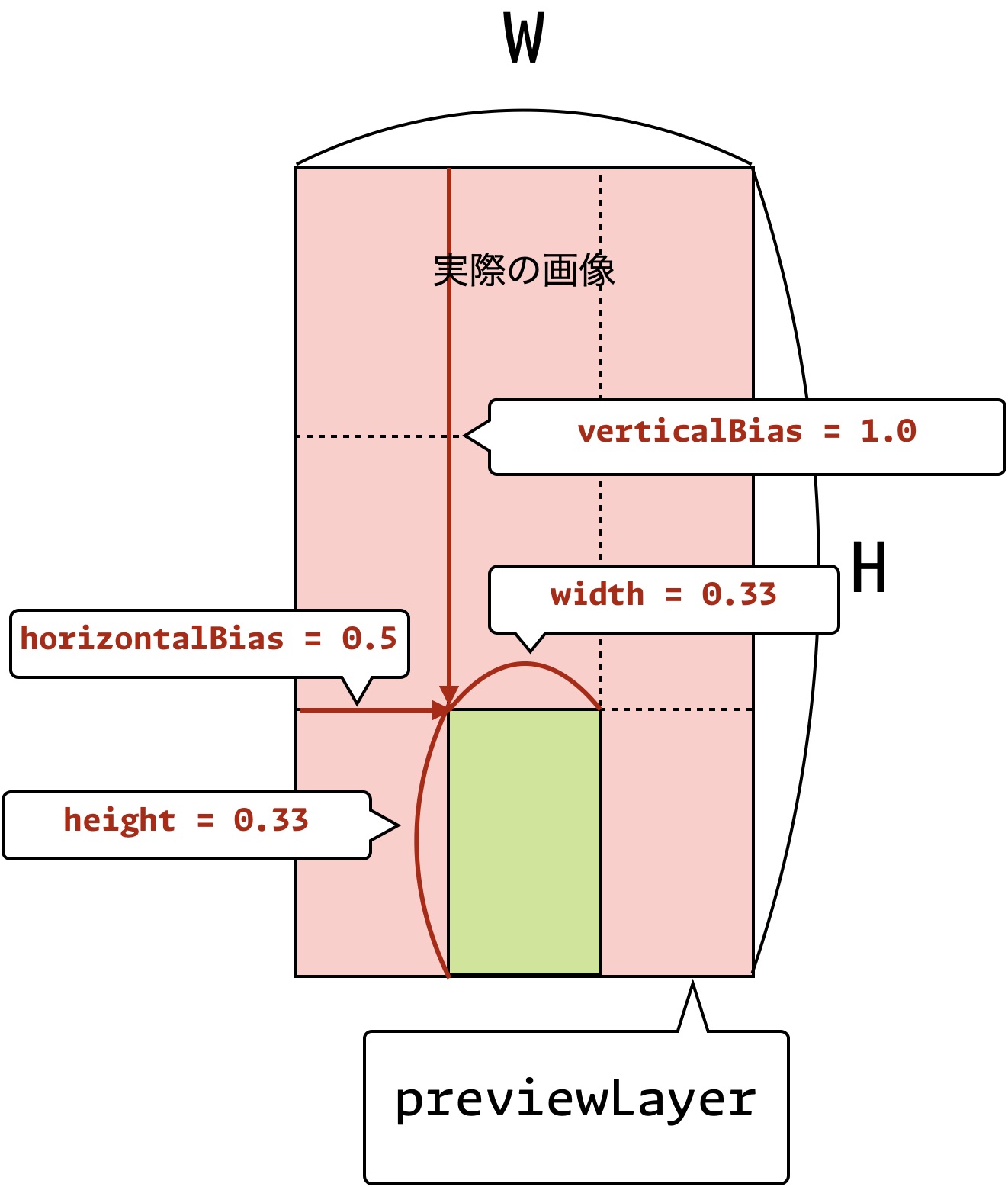
For example, to divide the screen into a 3x3 grid and crop only the bottom-center cell, configure as follows.
scanOptions = ScanOptions(
    scanMode: ScanOptions.ScanMode.Default,
    cropRect: CropRect(
        horizontalBias: 0.5,
        verticalBias: 1.0,
        cropWidth: 0.33,
        height: 0.33))
Specify CropRect in ScanOptions and pass it to the scan method.
ScanOptions options = new ScanOptions();
options.setScanMode(ScanOptions.ScanMode.Default);
options.setCropRect(new CropRect(horizontalBias, verticalBias, width, height));
api.scan(image, options);
For example, to divide the screen into a 3x3 grid and crop only the bottom-center cell, configure as follows.
ScanOptions options = new ScanOptions();
options.setScanMode(ScanOptions.ScanMode.Default);
options.setCropRect(new CropRect(0.5f, 1.0f, 0.33f, 0.33f));
api.scan(image, options);